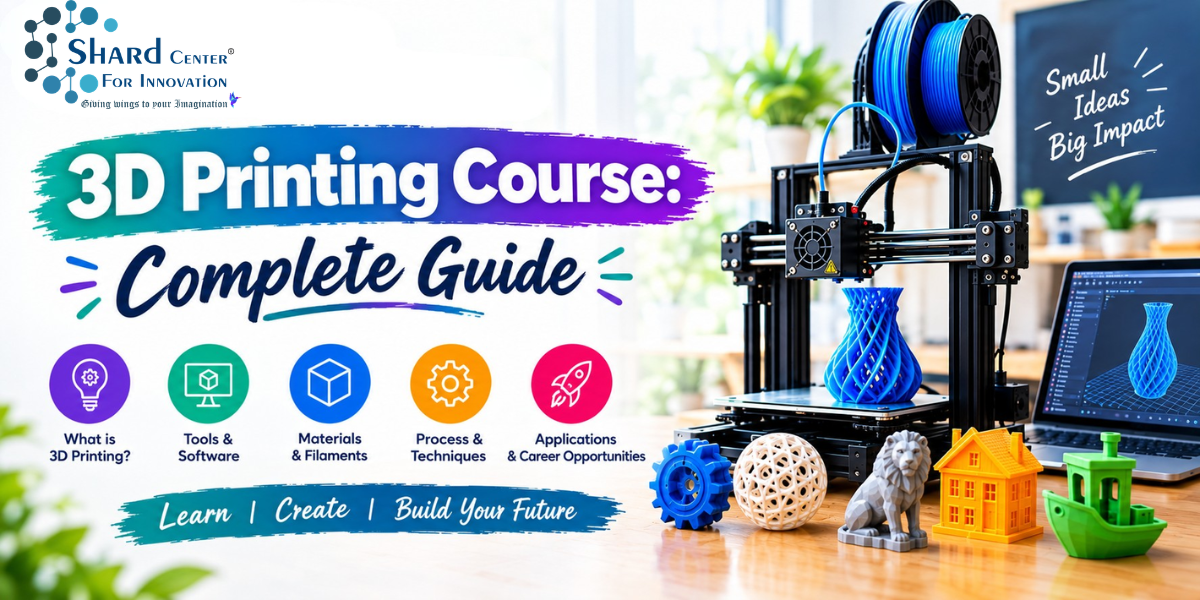
The workflow behind 3D printing is easy to understand: design a model, prepare it for additive manufacturing, print it, check the result, and further improve it. This guide is written for students and parents who wish to understand the process of 3D printing. This explains what to learn in 3D printing, why each skill matters, and how to connect the pieces together.
This guide connects to the full 3D-printing learning cluster, including beginner courses, modelling, student programmes, software, projects, core skills, and a first-print learning guide.
What Is a 3D Printing Course?
A 3D printing course is a course designed to explain the fundamentals of 3D printing and the workflow behind the finished 3D printed object. It includes steps such as identifying a problem, creating a 3D model, processing the model for additive manufacturing, selecting printing commands and materials, using the printer, judging the output, and further improving the design. The best aspect of 3D printing is that all learning is physically visible, making it an easy-to-teach skill for young students. An abstract idea is converted into an object that can be physically evaluated.
There are three aspects of every 3D printing course. The first is design knowledge, or knowledge of how the shapes are prepared using CAD or 3D modelling software. The second aspect is manufacturing knowledge, or the knowledge of how an object is designed layer by layer, and the third is problem solving, or how to make amends when a part is too weak or components do not fit together after printing them. These three stages make 3D printing into a true STEM and design skill.
How 3D Printing Works: From Digital Modelling to Creating a Physical Object
3D printers utilize an additive or layer-by-layer additive process. In fused filament fabrication, also known as FFF or FDM, a thermoplastic filament is heated and deposited in successive paths. Step by step, a new layer is placed on top of the other to build an object. Other technologies have other methods and materials, but the idea of additive manufacturing is followed.
The Core Learning Path in a 3D Printing Course
Simple modelling is first followed before moving on to printers. Beginners should know the differences between dimensions, axes, scale, primitives, sketches, and basic operations such as extrude, cut, combine, fillet, and chamfer. Once a model can be created, it has to be made printable by checking its wall thickness, clearances, and orientation and examining whether the model forms valid closed geometry.
After modelling, a slicer is utilized to make the 3D model ready for printing. At last, they learn printer preparation, material handling, first-layer observation, safe removal, and post-processing.
A good 3D printing course should combine hands-on learning with memorising settings so that students intuitively grasp how 3D designing builds a physical object.
3D Modelling: The Foundation Skill
3D modelling builds the foundation of 3D printing. Tools such as Tinkercad enable learners to combine and subtract simple shapes, while CAD platforms such as Autodesk Fusion allow sketch-based and practical workflows. 3D printing enables the shift from drawing an object to actively engineering it.
Designing for 3D Printing, Not Just for the Screen
A 3D print design should consider the capabilities of the manufacturing process. Students should learn to inspect a model closely before sending it to the slicer. It is important to keep in mind that 3D-printed objects may not fit well together after printing, because printers often introduce dimensional variations. This is why testing design gaps matters and why 3D printing demands patience and repeated practice to get a perfectly printed object.
Understanding Slicing and Print Settings
Slicing converts a finished model into a manufacturing plan by dividing the object into layers and producing instructions that the printer can execute. For beginners, the goal should be to understand that a few variables have the biggest visible effect: layer height, wall/perimeter count, infill, orientation, supports, adhesion, and print speed. Students should understand the functions and reasons behind these settings to make better design choices, rather than relying upon presets.
Materials Beginners Should Understand
PLA is the most common material used in 3D printing, as it is easy to print. However, material choice is contingent upon the object to be printed and its properties. It is important to ask the right questions, such as: Will the material be exposed to heat, sunlight, or moisture? Is the material appropriate for the available printer and learning environment? Does the part need to be strong or flexible? As the student learns, he will realize that material choice is dependent upon the desired physical qualities of the printed objects.
Beginner 3D Printing Projects That Build Real Skills
3D Printing Course for Kids and Beginners: An Ultimate Guide does not end when the object is printed. A student should measure the object, compare it with other objects and materials, and see whether there can be improvements. Students should check whether small parts fit together and inspect the qualities of the material. The first print is often not the final print, as there is scope for improvement and the possibility of producing a better design.
Troubleshooting: Where Much of the Learning Happens
It can be frustrating to deal with failed prints, but they are valuable learning opportunities. A weak first layer can make students investigate bed cleanliness, levelling, nozzle distance, and temperature. Stringing can lead to questions on temperature and retraction. Poor overhangs can trigger a redesign or a change in orientation. Warping can lead to questions about adhesion, geometry, and material behavior. It is important to diagnose issues and designs and be ready to change variables intently. This promotes the scientific process of inquiry—observing the symptom, proposing a cause, testing a change, and comparing the result. This same process of thought is utilized in coding, robotics, engineering, and experimental STEM arenas.
What Skills Do Students Gain?
Students develop a range of practical skills through 3D printing, including CAD design, accurate measurement, slicing, and basic machine operation. They learn how to turn a simple 2D concept into a three-dimensional model, improving their spatial understanding and design skills. Working with dimensions, angles, scale, and tolerances also helps strengthen mathematical thinking. As students use design and slicing software, they become more comfortable with digital tools used in modern manufacturing. These skills can also help students understand what to expect before taking Admission to a 3D printing course. Most importantly, 3D printing encourages problem-solving. Students can test a design, identify errors, make changes, and print it again until the desired result is achieved. This practical process of designing, testing, and improving is closely connected with how prototypes and products are developed in real-world technical fields.
3D Printing Career Paths and Where the Skills Are Used
Students learning 3D printing can utilize the skills in fields such as product design, mechanical engineering, architecture, manufacturing, healthcare technology, education, creative industries, etc. Students can benefit by building a portfolio of 3D-printed objects to demonstrate their capability and skills.
How to Choose a Good 3D Printing Course
Choose courses that combine theoretical understanding with hands-on practical 3D printing. Beginners should be given substantial time to learn to design by watching demonstrations and explaining the complete workflow from modelling to slicing to printing. They should be given the opportunity to test and improve their design, without the pressure to get the perfect designs in the first attempts. Relatively easy slicing software should be used initially, and the project complexity should be increased gradually.
The Takeaway
3D printing is a valuable technology that has revolutionized many industries. Learning 3D modelling, design principles, slicing, and finally, 3D printing allows students to convert an abstract idea into a physical object. A 3D printing course for beginners should be practical and hands-on and teach them to test their ideas iteratively. Beginners should begin with simple ideas and then gradually progress towards complex projects.
The process of scientific inquiry that is utilized in 3D printing has wide applications in the field of engineering, product development, manufacturing, education, and many different industries, allowing students to professionally gain access to these fields.
Frequently Asked Questions (FAQs)
Q1: Is a 3D printing course suitable for beginners?
Ans: Yes, a 3D printing course is suitable for beginners. A learning path consists of simple modelling first and gradually increases complexity by adding print preparation, troubleshooting, and more independent design.
Q2: Do beginners need coding to learn 3D printing?
Ans: No. Generally, programming is not required for 3D printing.
Q3: What should students learn first in 3D printing?
Ans: Students should first start with basic 3D geometry and modelling, then learn design for print principles, slicing, printer presentation, observation, and design improvement.
Q4: How do students get better at 3D printing?
Ans: Students can use short projects and repeat the modelling, splicing and 3D printing to gain an edge in printing by learning how to make better models.
Q5. Are 3D printing courses suitable for beginners?
Ans: Yes. Beginner-level courses can start with basic modelling and printing concepts before moving to more advanced tools and projects.
Q6. What projects can students make with 3D printing?
Ans: Projects may include prototypes, educational models, customized objects, mechanical parts, architectural models, product concepts, and creative designs.
Q7. What skills are needed to learn 3D printing?
Ans: Basic computer skills, creativity, design thinking, measurements, problem-solving, and an interest in technology are useful starting skills.
Q8. Can students learn 3D printing without prior technical knowledge?
Ans: Yes. A structured beginner course can introduce the required software, modelling concepts, printing process, and equipment step by step.
Q9. What career paths can 3D printing skills support?
Ans: 3D printing knowledge can be useful in areas such as product design, engineering, architecture, manufacturing, prototyping, digital fabrication, and 3D design.
Q10. How should I choose a 3D printing course?
Ans: Consider courses that provide hands-on practice, 3D modelling training, access to printing equipment, practical projects, software training, and guidance on troubleshooting.
References
- Autodesk—3D Printing Design Software: https://www.autodesk.com/in/solutions/3d-printing-design-software
- Autodesk - Design Considerations for Additive Manufacturing: https://www.autodesk.com/learn/ondemand/curated/design-for-additive-manufacturing-with-fusion/5p0AhR0t0k8663u0OScBmt
- Autodesk—3D Modelling Software: https://www.autodesk.com/in/solutions/3d-modelling-software
- Autodesk - Fusion Tutorials: https://www.autodesk.com/solutions/design-manufacturing/fusion-tutorials
- Prusa—First Print with PrusaSlicer: https://help.prusa3d.com/article/first-print-with-prusaslicer-2-9_1753
- Formlabs—FDM vs. SLA vs. SLS: https://formlabs.com/blog/fdm-vs-sla-vs-sls-how-to-choose-the-right-3d-printing-technology/